
Choose what to play
Open a title, pick a source, or start a download. Tap Play on TV whenever you are ready to move it.
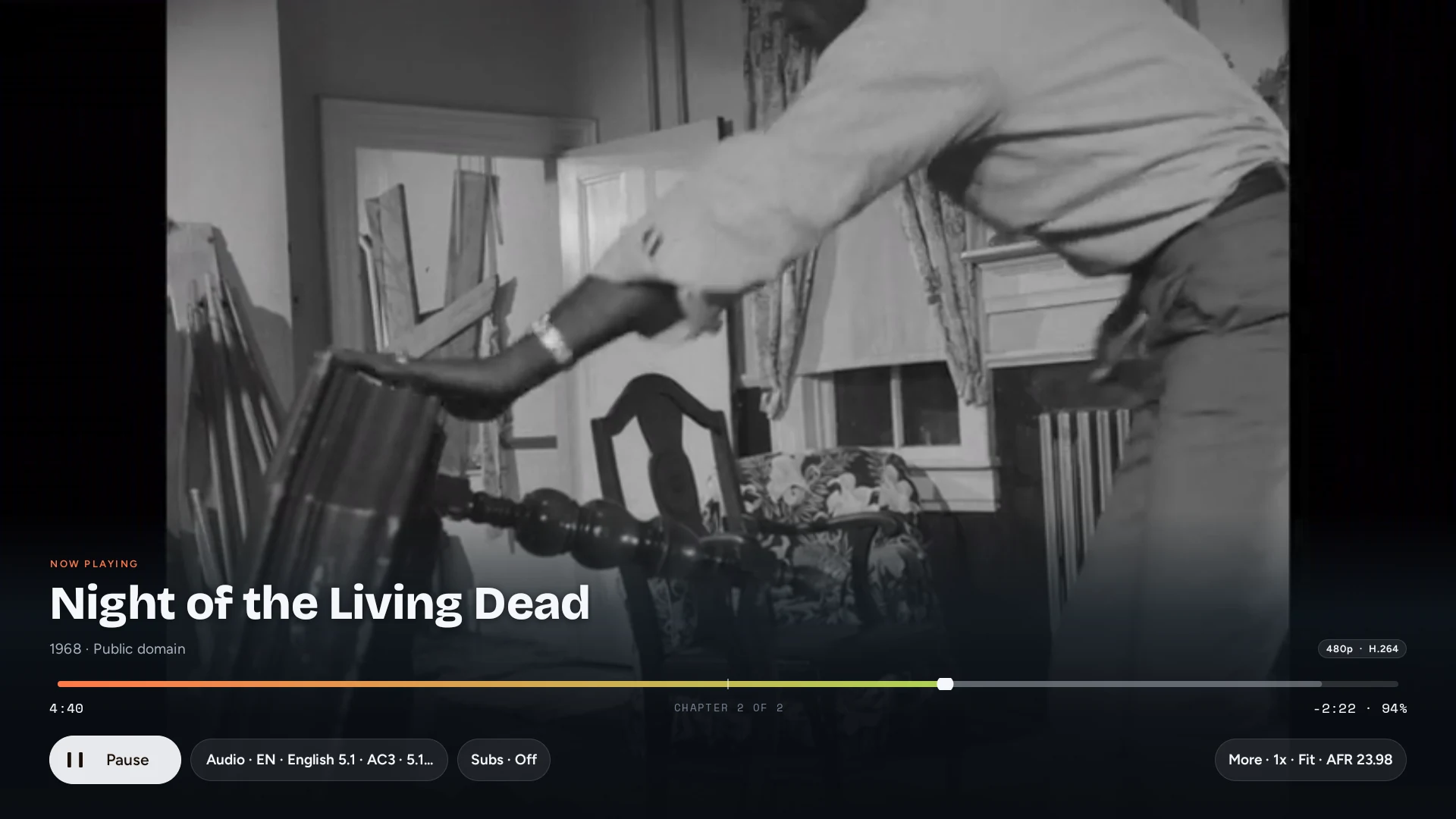
With 4789 TV on your Android TV, Google TV, Fire TV, or NVIDIA Shield, your place, audio choice, and subtitles move with the picture. The iPhone becomes a real remote, then brings playback back when you want it.
Receiver recordings on this page show a simulated receiver session · deterministic demo.
Casting is part of playback, not a separate app. Start from the same poster, source, or download you were already using.
Open a title, pick a source, or start a download. Tap Play on TV whenever you are ready to move it.
4789 shows saved and nearby destinations. A first-party receiver can still be found when the router suppresses normal discovery.
On 4789 TV, scrub, change tracks, search subtitles, switch sources, or pull the film back to iPhone.
Moving the picture should not reset the way you chose to watch it.
Send a playing title at its current position. Pull it back from the receiver at the same point.
Audio and subtitle choices carry across every handoff. 4789 TV also accepts subtitle appearance controls.
Change the source or continue to the next episode from the phone remote without returning to the library.
While the phone above stays the remote, 4789 TV holds the picture, the playhead, and the track choices.
Legacy casting protocols were designed 15 years ago for compressed 1080p web clips. 4789 Link Casting was engineered from the silicon up for high-bitrate cinema: pure hardware bitstream passthrough for Dolby Vision and Dolby Atmos, instantaneous gesture handoff, and seamless multi-room switching without losing a single frame or audio channel.
| Capability | 4789 Link Casting | Google Cast / Chromecast | Apple AirPlay 2 | Miracast / DLNA |
|---|---|---|---|---|
| Handoff & Gesture | Bidirectional flick & pull Flick to cast in 1 tap; pull back to iPhone at the exact millisecond when moving rooms. Zero re-buffering. | One-way push Pulling back re-requests stream from scratch; companion app routinely loses connection when backgrounded. | One-way handover Disconnects phone player; cannot pull back cleanly without searching and starting over. | None Mirrors screen only; leaves iPhone unusable during playback. |
| Dolby Vision & HDR | Pure Hardware Passthrough Dolby Vision (Profiles 5, 7 FEL/MEL, 8) and HDR10 passed directly to TV display panel with zero tone-mapping crush. | Transcoded / Dropped Frequently strips dynamic metadata, transcodes to 8-bit SDR, or crashes on high-bitrate MKVs. | Restricted Limited to Apple-blessed MP4/HLS streams; rejects Profile 7 and remuxed cinema files. | 8-bit SDR only Heavy compression, macroblocking, and crushed black levels. |
| Dolby Atmos & Audio | eARC / AVR Bitstream Dolby Atmos (TrueHD & E-AC-3), DTS-HD MA, and 7.1 LPCM passed direct to your soundbar or home theater receiver. | Downmixed Forces downmixing to 2.0 stereo or lossy AC-3; strips spatial height channels and TrueHD metadata. | Re-encoded Transcodes audio to compressed 16-bit/44.1kHz AAC stream; no DTS or lossless TrueHD support. | Stereo only Compressed 2-channel audio with audible audio-sync latency. |
| Auto Frame Rate (AFR) | Judder-Free 24p Dynamically switches TV display refresh to 23.976 / 24.000 Hz cinema cadence for 100% judder-free motion. | Fixed 60 Hz Forces 3:2 pulldown judder on 24p films during panning shots. | Fixed Display Rate Locked to Apple TV system setting; no source-cadence matching from phone. | Variable Stutter Severe frame drops and intermittent jitter. |
| Multi-Room & Multiple TVs | Multi-Target Hub Manage living room, bedroom, and basement screens simultaneously. Switch destinations with one gesture. | Single Target Must disconnect session completely before establishing connection to another room. | Audio Only Multi-room output is limited to music/audio; video is strictly single-screen locked. | Single Screen Point-to-point Wi-Fi Direct connection only. |
| Phone Autonomy & Battery | Zero Battery Drain TV fetches stream directly from source; phone can sleep, lock, or take phone calls. Re-syncs in 200ms upon return. | Intermittent TV streams directly, but iOS background limits frequently kill playback controls on phone. | Relayed / Drain Media often routes through phone Wi-Fi chip, draining battery and heating device. | Heavy Drain Phone screen must stay awake at 100% brightness; extreme battery drain. |
Searching, typing, and filtering with a TV remote is an exercise in frustration. Your iPhone has a 120Hz ProMotion touch surface. Browse catalogs in milliseconds, pick the exact release, and beam it in one tap.
Don't let legacy casting squash your 4K HDR OLED or 7.1.4 Atmos setup. 4789 TV talks directly to Android media codecs, passing raw bitstream audio and dynamic Dolby Vision metadata untouched to your AVR.
Need to leave the sofa to cook dinner or get ready? Swipe down on the phone remote. Playback transfers from the TV back to your iPhone screen at the identical frame — no pauses, no finding the file again.
Every destination has different format and control limits. 4789 keeps those differences visible.
| Destination | What you get | What to know | Status |
|---|---|---|---|
| 4789 TV | Automatic local discovery, the full phone remote, TV-remote sync, track control, subtitle tools, and receiver-aware recovery. | Sideload the free APK on Android TV, Google TV, Fire TV, or NVIDIA Shield, then keep it open on the same Wi-Fi. Install guide. | Available |
| AirPlay & Screen Mirroring | Apple’s own route picker for directly compatible files, with Screen Mirroring as the fallback. | Files that need conversion play better through 4789 TV. | Supported |
| Chromecast | Google's device picker, direct playback for common files, and on-device container remuxing for compatible sources. | Container conversion cannot fix every codec. Some Dolby Vision, DTS, and older video formats require another route. | Supported |
| AirPlay | Apple's route picker and player for directly compatible files. | Files that need conversion use Screen Mirroring or 4789 TV instead. | Supported |
The handoff keeps working after the first tap.
Pause or seek with the TV remote and the iPhone catches up. Use the phone and the receiver reports the same state back.
On 4789 TV, choose embedded tracks, search for another subtitle, adjust timing, or turn subtitles off.
Choose a profile for TV speakers, ARC, eARC, or an AVR. Direct audio is preserved when the active route supports it; otherwise playback falls back to decoding.
Send a downloaded film to 4789 TV over the same Wi-Fi or your iPhone hotspot, with byte-range support for seeking.
Install the current public receiver, open it on the TV, then let 4789 find the room from your iPhone.